Start a Project
← Back to Work
PHP

Invoice Reminder System β€” Accounts Receivable Automation Platform

Invoice Reminder System is a web-based accounts receivable automation platform that helps businesses manage overdue invoices, send WhatsApp reminders, and track customer payment activity from one dashboard.It reduces manual follow-ups and helps finance teams improve payment collection through automated reminders and real-time overdue tracking.

case studies thumbnail 3

Problem Statement

Many businesses still manage invoice follow-ups manually, which causes delayed reminders, missed overdue accounts, and slow payment collection. Finance teams spend extra time checking invoices, contacting customers, and tracking payment status across different systems.There was a need for a centralized system that could sync invoice data, identify overdue customers, and send reminders automatically through WhatsApp.

Project Objective

To build an automated invoice reminder platform that connects with the company’s existing accounting system, syncs customer invoices, tracks overdue payments, and sends timely WhatsApp reminders based on custom rules, limits, and schedules.The main goal was to reduce manual work for the accounts team, improve follow-up consistency, and help the business collect payments faster.

High Fidelity Screens

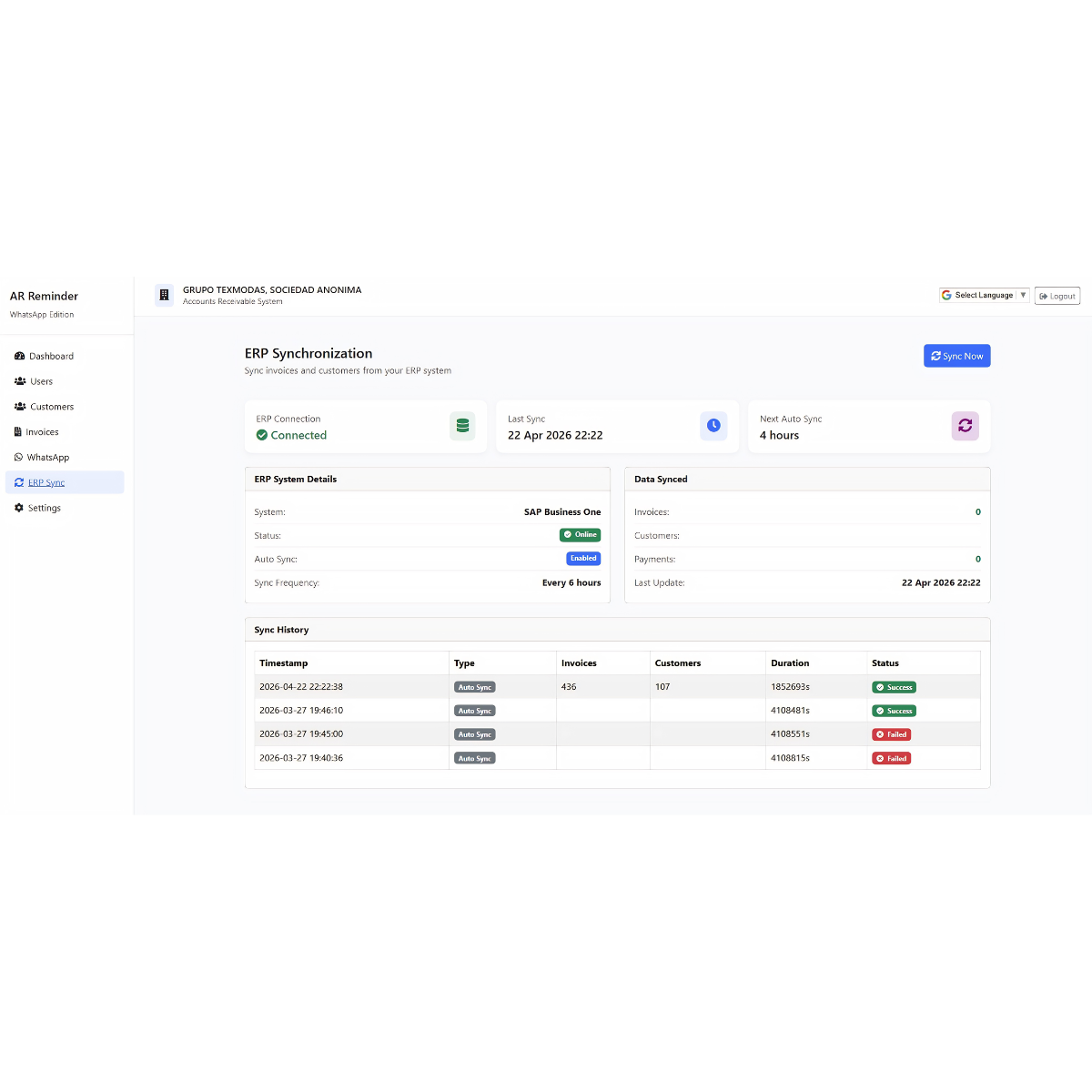
Screen Screen Screen Screen

Key Features

Accounting System Invoice Sync

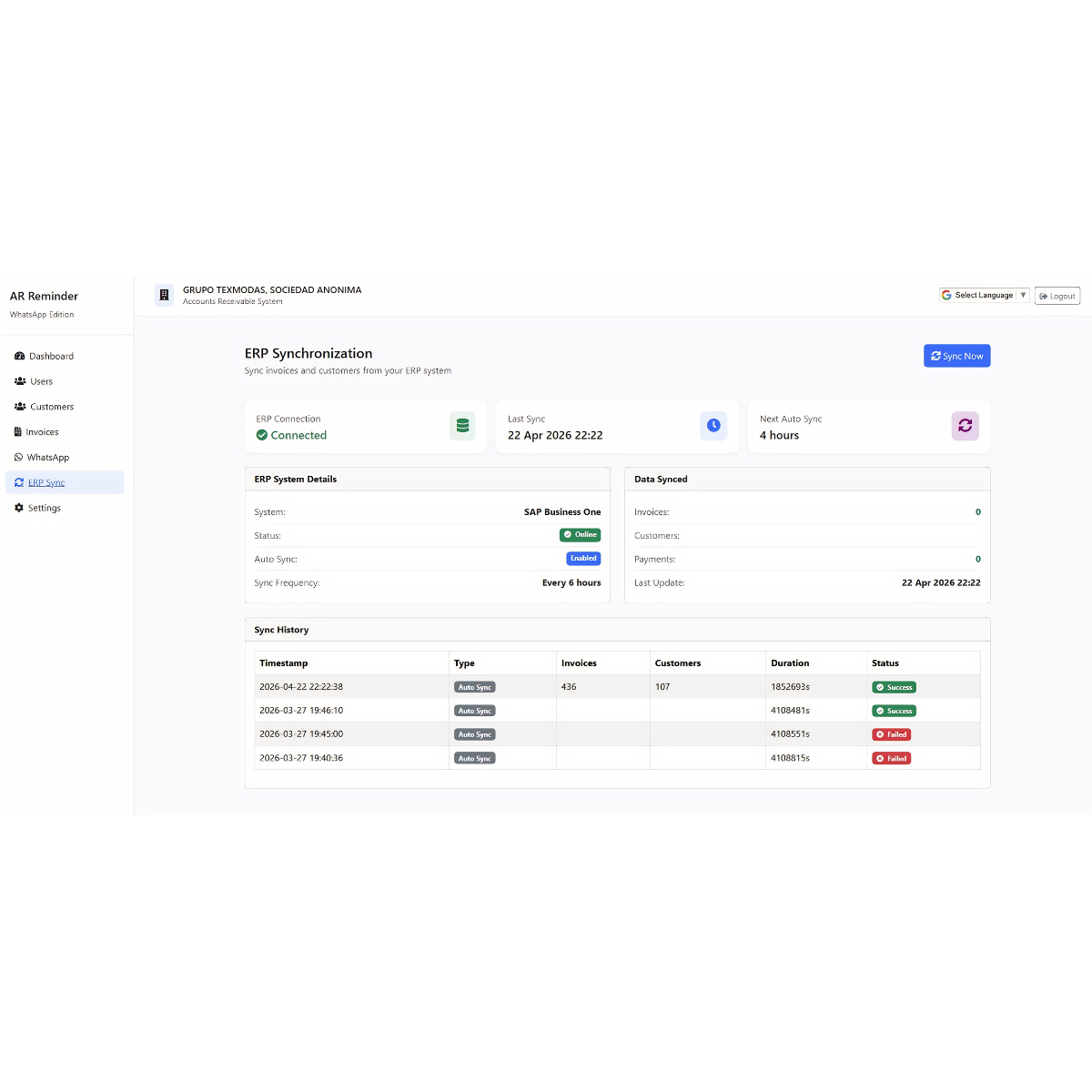
The system syncs invoice data directly from the main accounting system, including customer details, invoice amounts, overdue balances, and payment status. This removes the need for manual invoice entry and keeps the reminder platform updated with the latest receivable data.

Auto Invoice Sending

The platform can automatically send invoice information to customers based on synced data. This helps customers receive their invoice details on time without requiring the finance team to manually prepare and send every invoice.

WhatsApp Reminder Automation

WhatsApp integration allows the system to automatically send payment reminders to customers. The reminders can be triggered based on overdue days, invoice status, customer balance, or admin-defined rules.

Overdue Invoice Dashboard

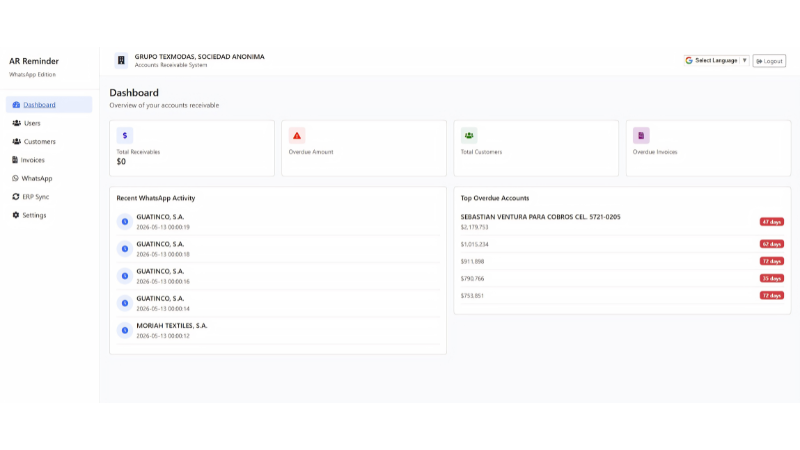
The dashboard gives a clear overview of all important accounts receivable data, including: Total receivables, Overdue amount, Total customers, Overdue invoices, Recent WhatsApp activity,Top overdue accounts. This helps the finance team quickly understand the current payment situation.

Top Overdue Accounts

The dashboard highlights customers with high overdue amounts and overdue days. This helps the business prioritize important accounts and follow up with customers who need urgent attention.

Reminder Settings, Limits & Timings

Admins can configure reminder rules such as sending time, reminder limits, customer follow-up frequency, and WhatsApp message behavior. This gives the business full control over automation and prevents customers from receiving too many reminders

Development Process

1

Discovery Phase

Understood the company’s accounts receivable workflow. Identified manual follow-up issues and overdue invoice tracking gaps. Defined the need for accounting system sync and WhatsApp-based reminders. Planned dashboard metrics for finance team visibility.

2

Design Phase

Designed a clean admin dashboard for receivable overview. Created sections for recent WhatsApp activity and top overdue accounts. Planned invoice, customer, settings, and ERP sync modules. Focused on a simple internal tool layout for daily finance operations.

3

Development Phase

Developed invoice sync flow from the main accounting system. Built customer and invoice data management modules. Integrated WhatsApp reminder sending functionality. Created automated reminder logic based on overdue invoices. Added dashboard cards for receivables, overdue amount, customers, and overdue invoices.

4

Testing Phase

Tested invoice syncing from the accounting system. Verified WhatsApp reminder delivery and activity logs. Checked overdue amount calculations and customer invoice status. Tested reminder limits, sending times, and admin settings. Fixed UI, data display, and automation flow issues.

5

Deployment

Deployed the system for internal business use. Connected the platform with accounting data and WhatsApp service. Enabled admins to manage users, customers, invoices, WhatsApp settings, and ERP sync. Prepared the system for daily accounts receivable monitoring and automated follow-ups.

Technology Stack

Frontend

  • React.js / Next.js
  • Angular / Html / React js / Next js
  • Tailwind CSS
  • Responsive Admin Dashboard UI

Backend

  • Php Laravel
  • REST APIs
  • Invoice Sync Logic
  • Reminder Automation Engine

Database

  • MySQL / PostgreSQL
  • Customer Records
  • Invoice Records
  • Reminder Logs
  • WhatsApp Activity Logs

Integration

  • Accounting System / ERP Sync
  • WhatsApp API Integration
  • Invoice Data Import
  • Automated Reminder Scheduling

Automation

  • Scheduled Reminder Jobs
  • Overdue Invoice Detection
  • Daily Sending Limits
  • Time-Based Reminder Rules

Admin Controls

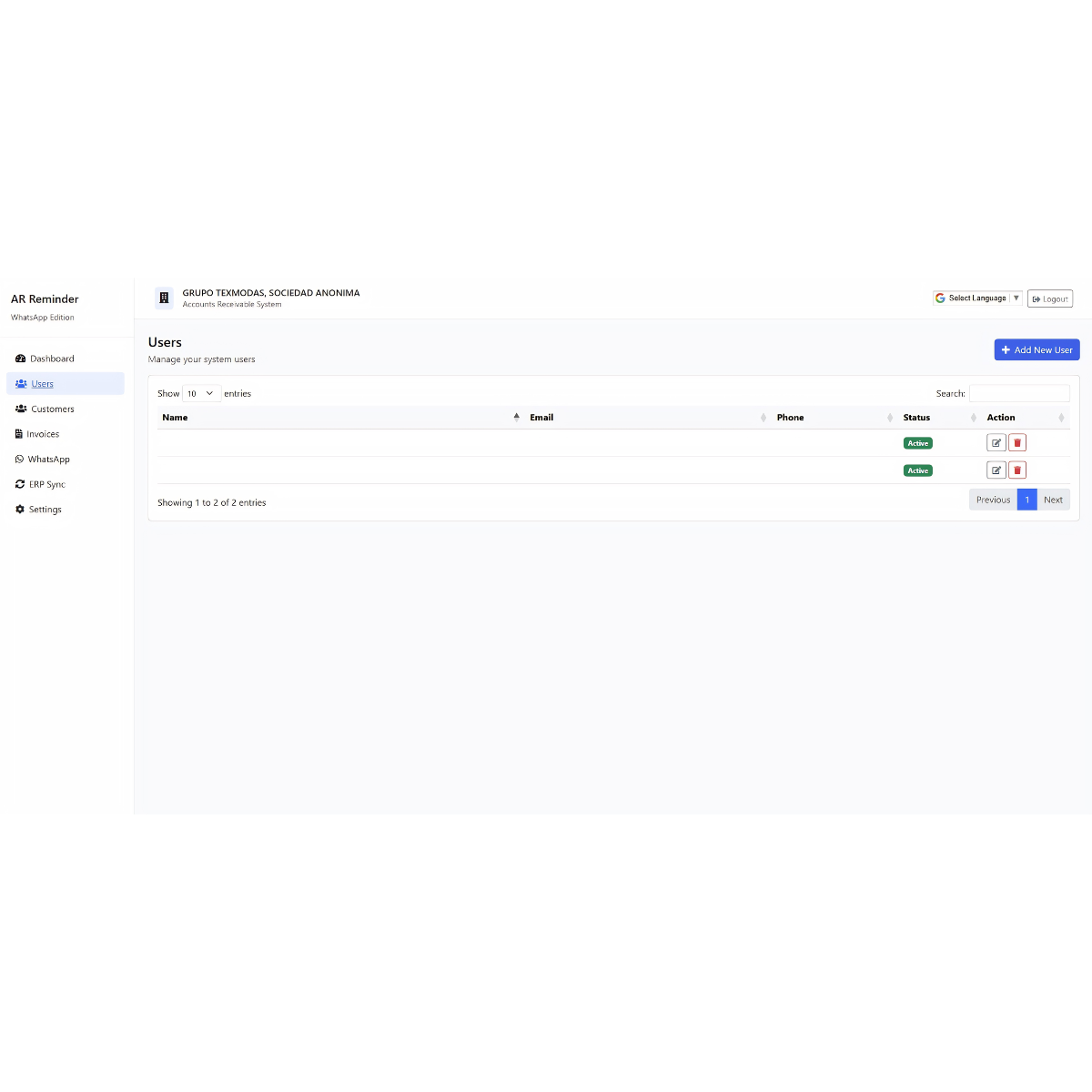
  • User Management
  • Customer Management
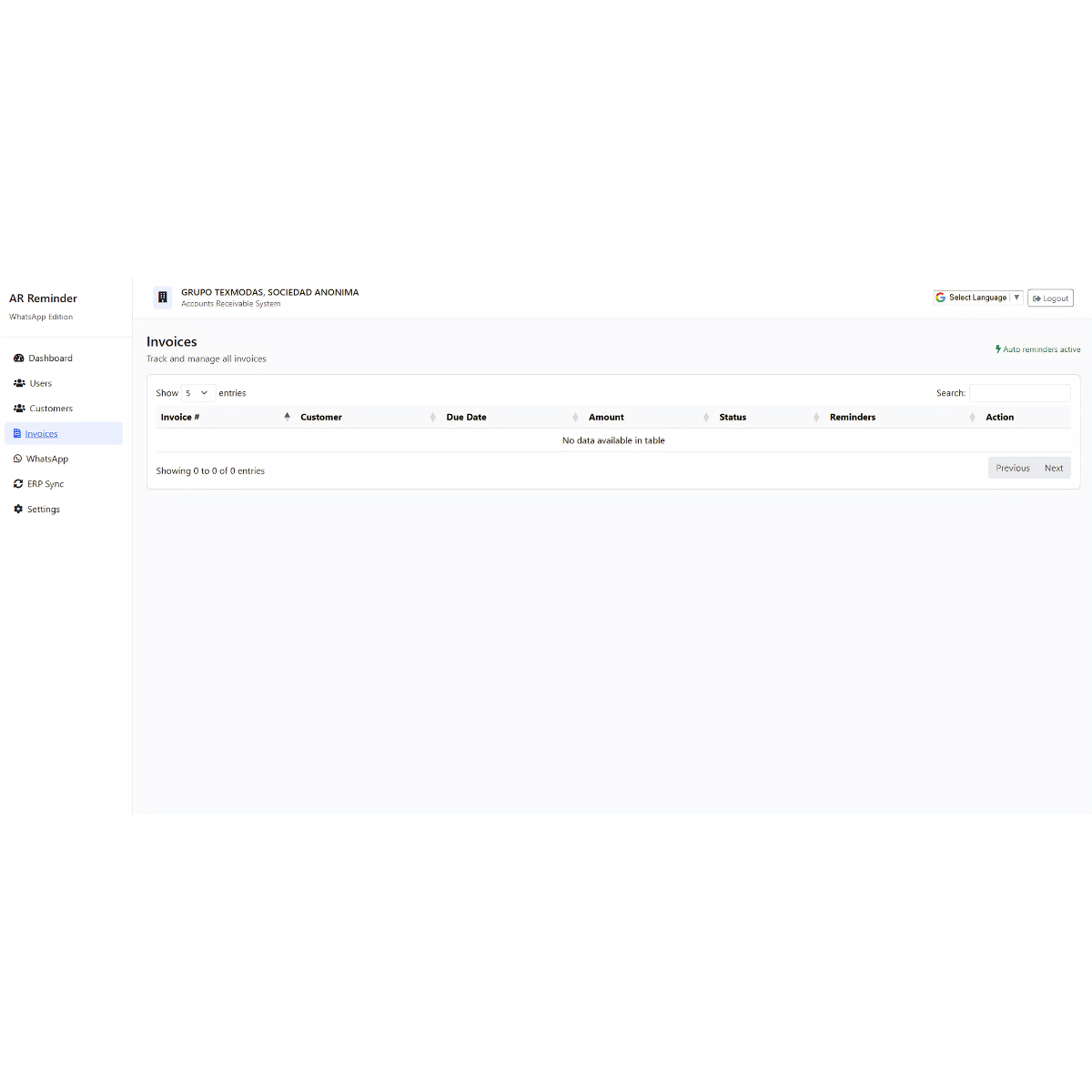
  • Invoice Management
  • WhatsApp Settings
  • ERP Sync Settings
  • Reminder Limit Configuration

Results & Impact

The Invoice Reminder System helped the business automate its accounts receivable follow-up process and reduce the manual workload for the finance team. By syncing invoices from the accounting system and sending WhatsApp reminders automatically, the company gained better visibility over overdue payments and improved customer follow-up consistency.
80%
Reduction in manual invoice follow-up work
60%
Faster customer reminder process
100+
Customers managed through the dashboard
280+
Overdue invoices tracked in the system

Ready to start your project?

Let's discuss how we can help transform your business with cutting-edge technology solutions.

Get in Touch